
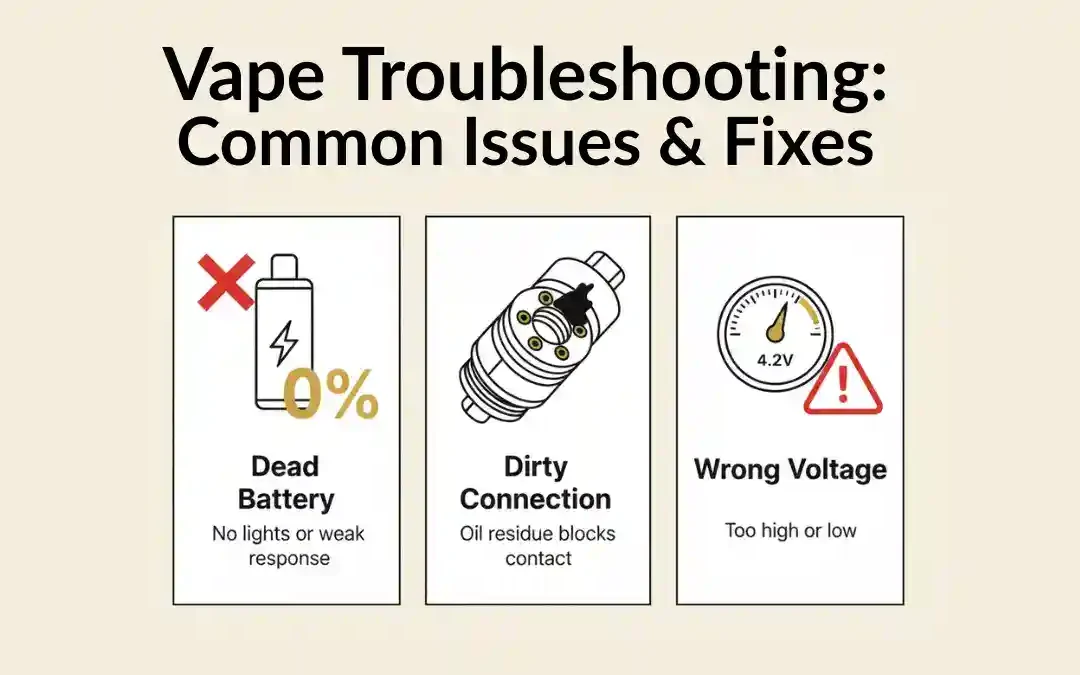
Your Sluggers Vape Pen Not Working, and you do not know why. Here are the 7 most common causes — in order of likelihood — with an exact fix for each one. Most of these take under 2 minutes to resolve.
Having trouble with a Sluggers vape? This guide covers common issues such as a vape not hitting, pulling poorly, blinking or appearing to have liquid left. If you’re looking to browse available products rather than troubleshoot an existing device
Symptom-based is the fastest way to diagnose this, so find yours below.
If you’re trying to identify a particular device rather than fix a fault, visit our Sluggers Vapes collection to review the available product categories and specifications. If you already have a device that is not working as expected, use the troubleshooting steps below and follow the instructions supplied with that model.
First, know which device you have. The Gram Slam is a disposable — battery sealed inside, no threading. If yours screws onto a separate battery, it’s a 510 cart and some fixes differ. I’ve flagged which is which.
Sluggers Vape Pen Not Working; No vapor, no light at all
- Dead battery. On a 510 setup, charge the battery fully. On a disposable, check for a charging port on the bottom — most 1g disposables are rechargeable via USB-C.
- Device is locked. Many pens use five rapid clicks to turn on/off. Try that.
- Dirty contacts (510 carts). Unscrew the cart and wipe the center pin on both battery and cart with a dry cotton swab or the corner of a paper towel.
- Overtightened (510 carts). Screwing a cart on too hard depresses the center pin so it can’t make contact. Back it off a quarter turn snug, not cranked.
Light blinks but no vapor
Blink patterns are the device telling you something:
- 3 blinks → short circuit, usually from overtightening or oil in the threads.
- 10–15 blinks → battery critically low. Charge it.
- Blinks on inhale → the draw sensor thinks it’s working but airflow is blocked. Go to the clog section.
Sluggers Vape Draws Hard or Produces No Vapour
Restricted airflow can have several causes, including a blocked mouthpiece, a depleted battery or a device fault. Start by checking the manufacturer’s instructions for your specific model.
- Check the mouthpiece opening for visible obstructions.
- Check the battery status and charging instructions, if the device is designed to be rechargeable.
- Avoid inserting sharp objects into the airway or heating components.
- Do not dismantle the device, apply direct heat or attempt to repair a damaged battery.
If airflow remains restricted, the device becomes unusually hot, or you notice leaking or physical damage, stop using it and contact the retailer or manufacturer for advice. Do not assume every Sluggers model uses the same battery, airflow or heating design.
Burnt taste
- The coil ran dry. Let it sit upright 10–15 minutes so oil re-saturates the wick.
- Your pulls are too long. Concentrate coils overheat fast — try 2–3 second draws instead of 5–6.
- If it tastes burnt and the pen is nearly empty, that’s the end of the tank. It’s finished.
- If it tastes burnt on a full, new pen at normal draw length, that’s a hardware defect. Return it.
Sluggers Vape ;Leaking or oil in the mouthpiece
- Stored on its side or in heat. Store upright, 45–75°F. A hot car will do this in an hour.
- Wipe the mouthpiece and let it sit upright overnight.
- Pressure changes from air travel or altitude also cause this.
Charges but dies immediately
Battery is failing. On a disposable, this isn’t repairable — contact the retailer. Try a different cable and wall adapter first to rule out the charger.
Stop and don’t use it if:
The oil is very dark brown, cloudy, visibly separated, or moves unusually thick or thin. Same if the packaging has no batch number, or the QR code won’t scan or leads nowhere. Those point toward a counterfeit rather than a defect, and counterfeits are where the actual health risk in this category lives — unknown cutting agents, not the licensed product. Don’t troubleshoot a suspect pen into working. Bin it.
Also worth doing: find the batch number on the packaging and pull up the Certificate of Analysis. If the COA doesn’t exist or doesn’t match your batch, you have your answer.
What Does It Mean When Your Sluggers 3-Gram Wax Pen Screen Blinks?
If your Sluggers 3-gram digital screen disposable blinks the moment you try to inhale, the device’s built-in safety features or battery parameters have been triggered. Unlike standard pens, the 3g Sluggers smart screen gives you immediate visual feedback when something goes wrong.
Why the Sluggers 3g Screen Blinks Immediately When You Smoke It
There are three main reasons why your Sluggers 3g digital screen is blinking:
- The Battery is Depleted (Low Voltage Warning): The most common culprit is a dead battery. Even if the screen lights up briefly to blink, it may lack the power required to fire the heating element. Plug it into a standard Type-C charger for 30–45 minutes.
- The Connection is Short-Circuiting: If the screen flashes immediately upon inhaling, the internal connection between the liquid diamond oil chamber and the heating coil might be blocked or shorted. Try tapping the base gently or clearing the mouthpiece with a toothpick.
- Over-Inhalation Safety Cut-off: Sluggers devices feature an automatic shut-off to prevent the coil from burning out. If you draw for longer than 8–10 seconds continuously, the screen will blink, and the device will temporarily lock itself to cool down.
If you bought it from a licensed retailer and it’s genuinely defective, most will exchange it — keep the packaging and receipt. Which symptom are you actually seeing? I can narrow it further.
For general information about the different device formats, stated capacities and product terminology, read our Sluggers Vapes guide.
If you want to understand the differences between disposable formats, see our THC disposables guide.